How do I measure AI traffic for my Webflow website?
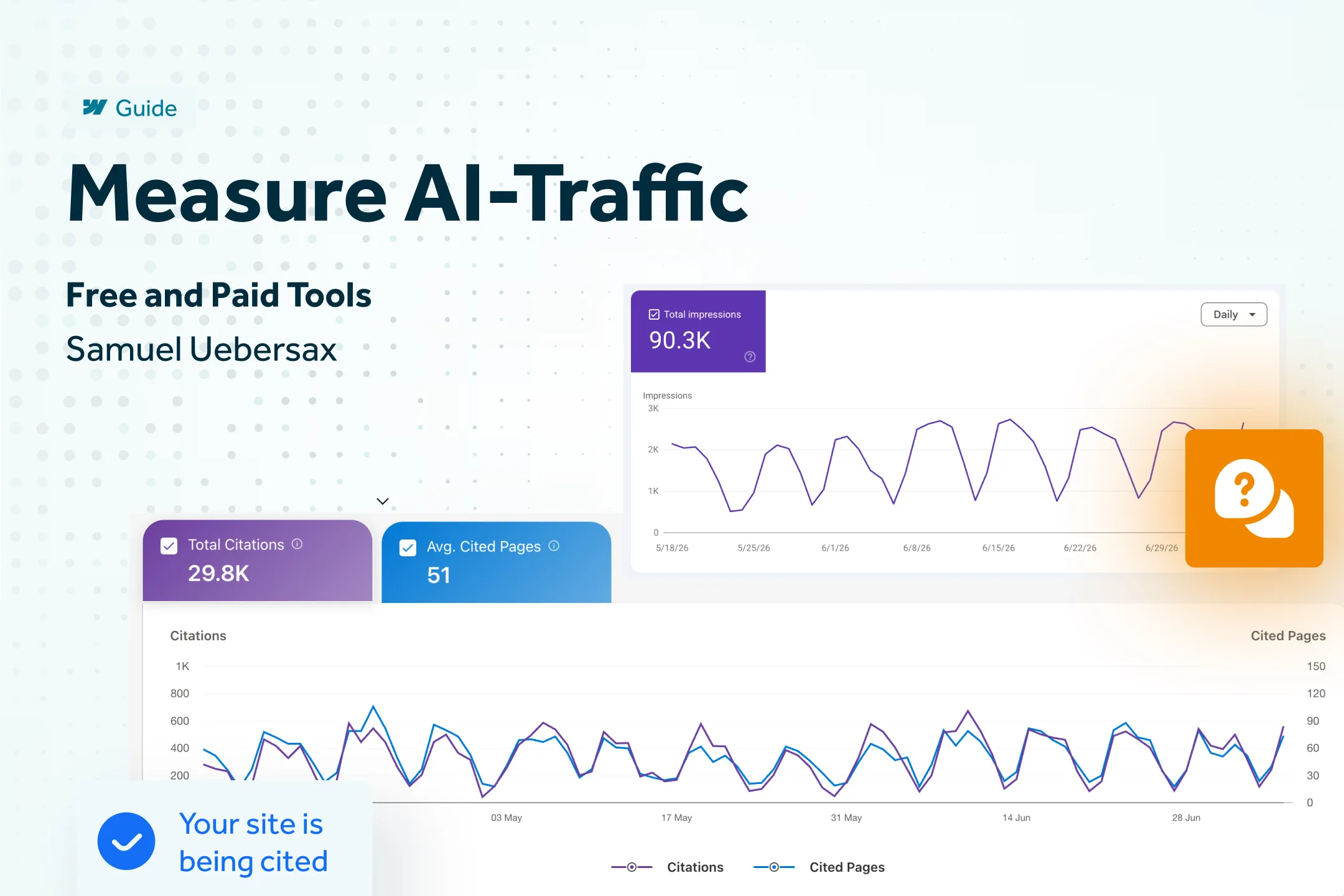
You can measure AI traffic on two levels: for free via Google Lighthouse, the Generative AI performance report in Google Search Console, the AI performance dashboard in Bing Webmaster Tools, the "AI Assistant" channel in Google Analytics 4 as well as "Clarity Citations" from Microsoft Clarity. For more depth—such as mentions without clicks, competitor comparisons, or sentiment—paid tools like Ahrefs Brand Radar or AEO Copilot come into play. Neither level provides a complete picture on its own, but combined they form a solid foundation. The free methods primarily answer the question, "Is anyone coming to my site via AI systems at all?", while the paid tools answer, "How do I compare to the competition, even if no one has clicked?" For most Webflow websites, the free level is perfectly sufficient to start—the paid level only becomes relevant once AEO becomes strategically more important than a single blog post.
Overview: Which tool shows what?
Why this is harder than it sounds
The main stumbling block: Most AI visibility tools show citations – in other words, how often a brand is mentioned or cited in an AI response. Very few tools show whether someone actually clicked on a link as a result. Citations and clicks remain two separate metrics that are difficult to merge automatically. A practical example: A site might suddenly be cited ten times more often in Ahrefs Brand Radar than in the previous month, while traffic in Google Analytics 4 remains flat or even drops. This doesn't mean the effort was ineffective; it usually means the citation occurred without a clickable link, or the user found the answer in the AI interface sufficient and didn't click through. The result: Getting a clear picture with exact numbers is becoming more complex rather than simpler, partly because a large portion of AI sessions arrive without a referrer header and end up under "Direct" in analytics tools instead of the correct channel. Mobile apps are particularly affected: Tapping an AI response in the ChatGPT app on an iPhone often sends no referrer at all, so the visit appears as "Direct" in GA4, even though it clearly originated from an AI response.
This is compounded by a fundamental context: A study by the Pew Research Center of 68,879 real Google searches shows that users only click on a classic search result in 8% of cases when an AI overview is displayed, compared to 15% without an AI overview (Source: Pew Research Center, 2025). Those who do not measure if and how their website appears in AI responses lose visibility without realizing it—and make content decisions based on incomplete data.
Free tools
1. Google Lighthouse
The latest Chrome version provides initial indicators in the Lighthouse report (DevTools → "Lighthouse" tab → report for "Performance" and "SEO") regarding the technical foundation that AI crawlers also consider when reading a page: load time, mobile optimization, and crawlability. In practice, a poor performance score often means that AI crawlers like GPTBot or ClaudeBot may time out or only capture parts of the content before finishing, with the consequence that important paragraphs further down the page remain invisible to the AI.
2. Generative AI Performance Report in Google Search Console
Since June 2026, Google has shown in Search Console how often pages appear in AI Overviews and AI Mode—broken down by page, country, device, and date, though currently without click data. Details are available in the official help documentation. Regularly checking this report at least reveals the trend: If impressions increase over several weeks, the likelihood of them eventually turning into real clicks tends to grow, even if the direct causal link cannot be measured.
3. AI Performance Dashboard in Bing Webmaster Tools
Since February 2026, Microsoft has shown at bing.com/webmasters how often a website is cited in Copilot and Bing AI responses, including the "grounding queries" that led to the citations. The practical advantage: Grounding queries are often much longer and more conversational than classic Google search terms, allowing for direct insights into how users actually phrase a topic to an AI—a perspective that classic keyword tools do not provide.
4. Google Analytics 4 – the "AI Assistant" channel
Since May 13, 2026, GA4 has automatically recognized sessions from ChatGPT, Gemini, and Claude and displays them under Reports → Acquisition → Traffic acquisition as a dedicated "AI Assistant" channel. For Perplexity, Copilot, and other sources, it is worth creating a custom channel group under Admin → Property settings → Data display → Channel groups, using a regex filter for the known AI domains. An important limitation: Clicks from Google's own AI Overviews continue to be categorized under "Organic Search," not "AI Assistant"—and a noticeable portion of sessions arrive without a referrer and remain hidden under "Direct." GA4 therefore provides a lower bound rather than a complete picture, but at least one based on actual visitor numbers rather than estimated mentions.
5. Microsoft Clarity – Citations since May 2026
Since May 2026, Microsoft Clarity has provided "Clarity Citations" for free, showing which search queries ("Grounding Queries") led to a site being cited in Copilot and Bing AI responses. This is complemented by a share-of-authority metric compared to competitors and the resulting AI referral traffic. Coverage is explicitly limited to Microsoft's own AI platforms; ChatGPT, Gemini, and Perplexity are not included. However, unlike the Bing Webmaster Dashboard, Clarity provides actual click data rather than just impressions. A practical feature is that Grounding Queries can be linked directly to session recordings of the respective visitors, allowing you to see how users arriving from an AI response actually behave on your site.
Paid tools for greater depth
Ahrefs Brand Radar
Ahrefs is a giant among SEO tools and offers its own AI visibility tracking via Brand Radar, covering six AI platforms (including Google AI Overviews, ChatGPT, Perplexity, Gemini, and Copilot). It displays mentions, citations, impressions, and "AI Share of Voice." Pricing: 199 USD/month per AI index or 699 USD/month for the six-platform bundle, in addition to the Ahrefs base plan starting at 129 USD/month. This is particularly worthwhile for teams already using Ahrefs for traditional SEO who want to see AI visibility data directly alongside backlink and keyword data—for everyone else, the entry price is a high hurdle. Again, there is no click data—Brand Radar answers "Am I being mentioned?" rather than "Who clicked?".
AEO Copilot
AEO Copilot was developed by Sofian Bettayeb , a talented friend of the author. It is a smaller, specialized tool for AI search visibility tracking that starts at $0/month, with the first paid plan at around $34/month—making it significantly more accessible than Ahrefs Brand Radar. A noticeable advantage is that new adjustments and features are implemented remarkably quickly, as the team is small and stays close to user feedback. For websites that do not yet need a large Ahrefs license or want to focus specifically on the AI visibility component, it is a pragmatic addition—though you should still verify data coverage against your requirements before purchasing.
Webflow AEO (Enterprise)
If you already build your website with Webflow, Webflow AEO offers a native option integrated directly into the platform—no separate tool or additional tracking setup required. It includes Prompt Insights (how often your brand is mentioned in AI responses), LLM bot tracking (which AI crawlers visit your site), and a dedicated analysis for AI-referred traffic directly in Webflow Analyze, supplemented by AI agents that implement optimization suggestions automatically. The catch: Webflow AEO requires at least a Team or Enterprise platform plan with the Workspace AI toggle enabled—and for full AEO analytics including LLM bot insights, the Enterprise Analyze add-on is also required. For most small and medium-sized Webflow websites, this remains out of reach price-wise. However, for those already on a higher Webflow plan, it is the only solution that combines AEO data and traditional on-site analytics into a single dashboard without system fragmentation.
What to do with this data?
Whether using GA4 regex analysis or a paid tool, the numbers are only as useful as the actions that follow. The top priority is keeping content up to date—AI systems demonstrably prefer fresh, well-maintained content, and a visible update date on every page is not just a trust signal for readers, but also a hint to AI crawlers that a re-crawl is worthwhile. It is equally important to view citations and clicks separately rather than blending them into a single metric: an increase in mentions without an increase in GA4 traffic is not a failure, but usually an indication that content is being cited but not linked or is not formulated in a way that encourages clicks—this is where it pays to look at your definition structure and FAQ phrasing.
Conclusion
Free tools are great for getting started: Lighthouse, GSC, Bing Webmaster Tools, Microsoft Clarity, and the GA4 AI Assistant channel reliably show whether and to what extent AI systems are driving traffic to your website. However, if you want to optimize effectively, you should start with a tool like AEO Copilot to perform targeted prompt tracking and gain concrete insights for improvements—such as which prompts trigger your brand, where competitors are ahead, and which content is worth creating next.
If you want to know how your own Webflow website is currently performing on ChatGPT & Co. and where exactly the potential lies, I can show you as part of my AEO support – including implementation of the measures from my AEO guide.
Ahrefs Brand Radar remains the go-to option for teams already working within the Ahrefs ecosystem who can afford the higher price point.