Why most Webflow websites are more expensive than they need to be
The website looks good. The design is modern, the animations are smooth, and the client is happy. Yet, this website will cost you more in the coming months than it should. Significantly more.
The problem isn't the design. It's the way most Webflow websites are developed. Without a system, without a strategy, and without a view of what comes after the launch.
As a Webflow developer and SEO consultant, I regularly see websites that look professional at first glance—but are a technical disaster under the hood. Sites that no other developer can take over. Sites that Google doesn't understand. Sites that fall apart with every minor change.
Here are the 5 mistakes I see most often—and why they are costing your business real money.
Mistake 1: Building without a framework—and paying for it later
Imagine having a house built—without a blueprint, without standards, without a system. Every contractor does whatever they think is right. The result might look good, but heaven help you if you want to renovate later.
That is exactly how most Webflow developers work. Classes are named on the fly, layouts are built without a consistent system, and every page follows its own logic. This works as long as one person is managing the website. As soon as you switch developers, bring in an agency, or want to scale the site, it gets expensive.
Established frameworks like Lumos, Mast or Client-First solve this problem. They provide you with a consistent system for class naming, spacing, typography, and layout structures. Any developer familiar with the framework can be productive immediately—without having to fight through a mess of arbitrary classes.
What it costs you to work without a framework: Every future change takes longer. Every change of developer means onboarding time. Every scaling effort requires rebuilding instead of expanding. And eventually, the honest recommendation will be: start from scratch. That is the moment you pay for the same website twice.
Mistake 2: Ignoring semantic HTML—and remaining invisible to Google
Webflow generates clean code by default. However, most developers don't take advantage of thisbecause they choose HTML elements based on their visual appearance rather than their meaning.
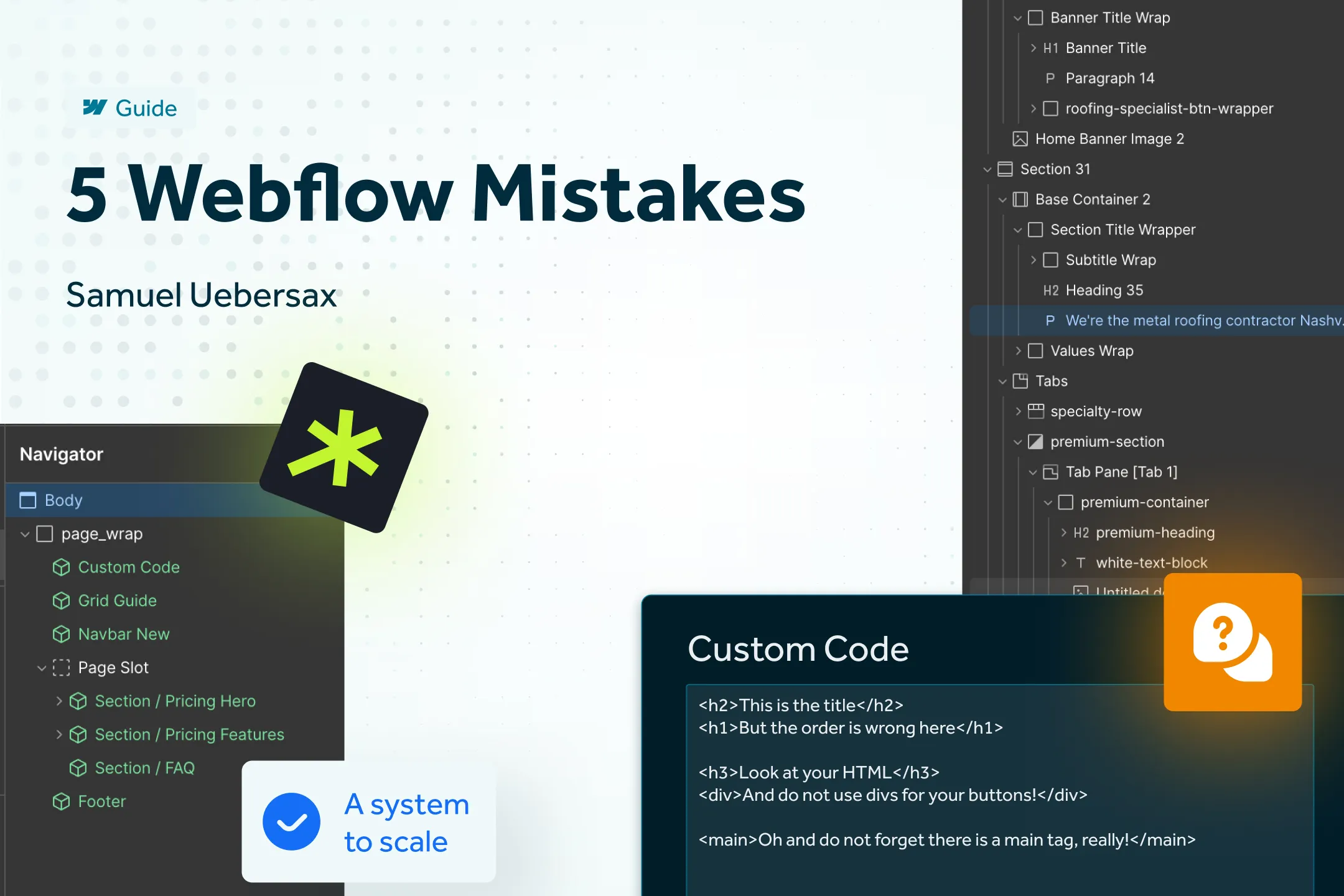
A typical example: Headings (H1–H6) are assigned based on size instead of content hierarchy. An H3 is used before an H2 because the H3 style fits the design better. Or even worse: the entire page consists of <div>blocks because no one takes the time to use semantic tags like <main>, <section>, <nav> or <article> .
The problem: Search engines don't read visual output – they read code. If your HTML doesn't communicate what the main content is, what the navigation is, and how the content is hierarchically structured, Google will have a harder time understanding your site. Less understanding means lower rankings.
Then there is the issue of accessibility. Screen readers and assistive technologies rely on semantic HTML to read content correctly and make it navigable. A website consisting only of divs actively excludes people with disabilities – and, depending on the market, violates legal requirements.
I have dedicated a separate, detailed article to this topic: HTML: The foundation of a visible Webflow website. If you want to know how to correctly implement semantic HTML in Webflow, you will find everything you need there.
Mistake 3: Considering SEO only after launch
This mistake is the most expensive one on the list. And it happens almost every time.
The website is designed, developed, and launched. Everything looks great. And then—weeks or months later—someone notices that the site is barely visible on Google. So, an SEO specialist is brought in, who looks at the site and realizes: The problems are structural.
The heading hierarchy is incorrect. There is no strategy for internal linking. The site architecture is illogical. Collection overview pages are missing. There are no breadcrumbs. Meta data is generic or not set at all.
Fixing all these things after the fact is possible—but it takes longer and costs more than if they had been planned from the start. In many cases, rebuilding is cheaper than trying to patch an existing site to make it SEO-friendly.
SEO is not a plugin you bolt on at the end. It is a mindset that must be integrated into planning, design, and development from the very first minute. From URL structure and site architecture to internal linking—all of this must be in place before the first pixel is set.
You can find the details in my article "SEO in Webflow: More than just meta titles and descriptions", where I explain why meta tags are only a small part of the puzzle.
Mistake 4: Using a sledgehammer to crack a nut with animations
Webflow has a powerful animation tool: Interactions. And then there is GSAP, a professional JavaScript library integrated via custom code. Both are great tools— when used correctly.
The problem: Many developers reflexively reach for Interactions or GSAP for animations that could be solved with just a few lines of pure CSS . A hover effect on a button? Interactions. A smooth fade-in on scroll? GSAP with ScrollTrigger. A color change on hover? An entire interaction timeline.
Pricing:
Performance: Every GSAP script and interaction timeline is additional code that must be loaded and executed. CSS animations run natively in the browser and are significantly more performant. Poorer performance means slower load times—and slower load times mean lower rankings and higher bounce rates. This is more than just theory: a joint study by Google and Deloitte found that a 0.1-second improvement in mobile load time increases conversion rates by an average of 8.4%. Portent paints a similar picture: pages that load in 1 second convert 32% better than pages with a 3-second load time.
Maintainability: Interactions in Webflow are configured visually, making them difficult to debug, document, or hand off. If another developer takes over your site and finds 47 different interactions, getting up to speed becomes a full-time job.
Costs: More complexity means more development time. For the client, this means higher costs for something that would have worked just as well—or better—with a simpler solution.
The rule of thumb: If an animation can be achieved using CSS transition or @keyframes , use CSS. Interactions and GSAP are intended for complex, multi-stage animations that truly add value to the user experience—not for every hover effect.
Mistake 5: No component system—leaving the marketing team dependent
This mistake isn't about technology, but rather your team's independenceAnd it will cost you the most time and money in the long run.
Webflow offers a powerful component system (formerly Symbols). This allows you to create reusable building blocks: headers, footers, feature sections, testimonial blocks, pricing tables, CTA areas – all as pre-built, consistent modules.
The problem: Most Webflow websites are built without a well-thought-out component system. Every page is unique. Every section is assembled individually. When the marketing team needs a new landing page, they have to wait for a developer – or tinker around in Webflow themselves, often breaking the design in the process.
With a proper component system, the opposite happens: The marketing team can assemble a new page in just a few minutes. Using a library of pre-built, approved components, they can create a page via drag-and-drop – consistent in design, clean in code, and ready to go immediately. No waiting for a developer. No risk of someone accidentally breaking styles or structures.
What it costs you to work without a component system:
Speed: Every new page or landing page has to be built from scratch. What takes 15 minutes with components takes hours or days without them – and costs accordingly.
Consistency: Without components, the design drifts. Every page looks a little different. Spacing varies, colors deviate, and font sizes are inconsistent. This undermines your brand perception.
Dependency: Your marketing team cannot work independently. Every small change, every new campaign page, every A/B test requires a developer. This slows down your entire marketing effort and creates an expensive bottleneck.
A good component system makes your marketing team independent – and that is one of the biggest advantages Webflow offers. But only if it is set up correctly from the start.
Conclusion: Good Webflow development is an investment – and so is bad development.
Each of these 5 mistakes has one thing in common: it arises because the focus is only on what you see – the design, the animations, the visual impression. The invisible factors – framework, HTML structure, SEO planning, performance, component system – are ignored or pushed to "later."
But in practice, "later" almost always means more expensive. And in many cases, it means a complete rebuild.
If you want to know if your current Webflow website is affected by one or more of these mistakes, let's talk about it.
If you are looking for an experienced Webflow developer who avoids these mistakes from the start, let's talk. In a free initial consultation, I will take a look at your site and give you an honest assessment – no sales pressure, just concrete recommendations.